Every week, pastors spend hours preparing a message meant to encourage, challenge, teach, and inspire their congregation. Sunday comes, the sermon is preached, and then Monday arrives.
But what happens to that message next?
For many churches, the full sermon gets uploaded to YouTube, Facebook, or the church website and then quietly waits for someone to stumble upon it. While full-length sermons are valuable, they aren’t always the easiest content for people to consume while scrolling through social media.
That’s where sermon clips come in.
Creating short sermon clips for social media gives your church a way to take the most powerful and memorable moments from Sunday’s message and turn them into shareable content. One sermon can become multiple pieces of content that remind your congregation what they heard while also introducing your church and its teaching to people who weren’t there on Sunday.
And in 2026, creating those clips doesn’t have to mean spending hours editing video. Below, we’ll cover the easiest way to create sermon clips for social media.
Let’s begin!
Want to share your sermons in a powerful way? Sermon Shots helps you create high-quality, shareable clips in just minute, no editing required! Watch this quick video to see how effortlessly you can highlight key moments and connect with your audience.
Short-form video has become a normal part of how folks consume online content.
Instagram Reels, YouTube Shorts, TikTok, and Facebook Reels allow people to discover ideas, stories, organizations, and communities through videos they can watch quickly. This creates the perfect opportunity for churches. Instead of expecting someone to discover and immediately watch a 30- or 40-minute sermon, you can introduce them to the message through a much smaller, memorable moment.
A sermon clip might contain:
– A memorable quote
– A powerful Scripture explanation
– An encouraging reminder
– A challenging question
– A relatable story
– A practical takeaway
– A moment that pulls people in and makes them want to hear more
Think of sermon clips as an entry point. Folks may watch a 45-second clip today and decide to watch the complete sermon later.
Short sermon clips aren’t meant to replace full sermons. Instead, they serve a different purpose. Someone who attended your service may want to revisit the entire message. Another person might intentionally search YouTube for a sermon about a topic they are struggling with. However, social media users usually aren’t opening Instagram or TikTok specifically looking for a 40-minute church service.
They’re scrolling.
A short clip allows your church to meet people where they already are and give them one meaningful idea from the sermon. That can also help your congregation carry Sunday’s message into the rest of the week. A clip posted on Wednesday may remind someone of something they heard Sunday but had already started to forget.
Your sermon doesn’t have to disappear from folk’s minds when the service ends.
Not every 30-second section of a sermon will make a great social media video. The best clips feel complete even when they’re removed from the larger sermon. Look for moments that make sense without requiring five minutes of additional context.
A strong sermon clip usually presents a clear idea, emotional or spiritual value, and a reason for someone to keep watching.
The beginning matters. Avoid clips that start with several seconds of setup before reaching the actual point. Try to begin the clip with a question or strong statement.
Ask yourself:
Would this still make sense if someone hadn’t heard the rest of the sermon?
If the answer is no, look for another moment or include enough context for your audience to understand it without watching the entire sermon.
Many folks watch social media videos before they ever turn their sound on. Captions make the message easier to follow and can also emphasize the most important words or phrases. They also make your content more accessible to viewers who are deaf or hard of hearing.
Your sermon clips should still look like they came from your church. Using consistent fonts, colors, logos, caption styles, and layouts helps people begin recognizing your content.
Consistency can be valuable when you’re posting multiple clips from the same sermon series.
There are several ways churches can create sermon clips. You could manually watch the entire sermon, write down timestamps, import the footage into video-editing software, cut each section, resize it, create captions, add graphics, export it, and repeat the process for every clip. That process works, but it’s also incredibly time-consuming and creates a lot more work for you.
In 2026, churches have another option: use tools designed specifically for sermon repurposing.
There are several ways churches can create sermon clips. You could manually watch the entire sermon, write down timestamps, import the footage into video-editing software, cut each section, resize it, create captions, add graphics, export it, and repeat the process for every clip. That process works, but it’s also incredibly time-consuming and creates a lot more work for you.
In 2026, churches have another option: use tools designed specifically for sermon repurposing.
Sermon Shots is a program specifically built to help churches turn sermons into content they can continue using after Sunday.
Instead of starting from scratch with traditional video-editing software every week, churches can upload their sermon and turn it into polished clips much faster.
Here’s the basic process:
Start with your sermon recording.
Instead of scrubbing through the entire video manually in another editing program, your sermon becomes the starting point for the content creation process.
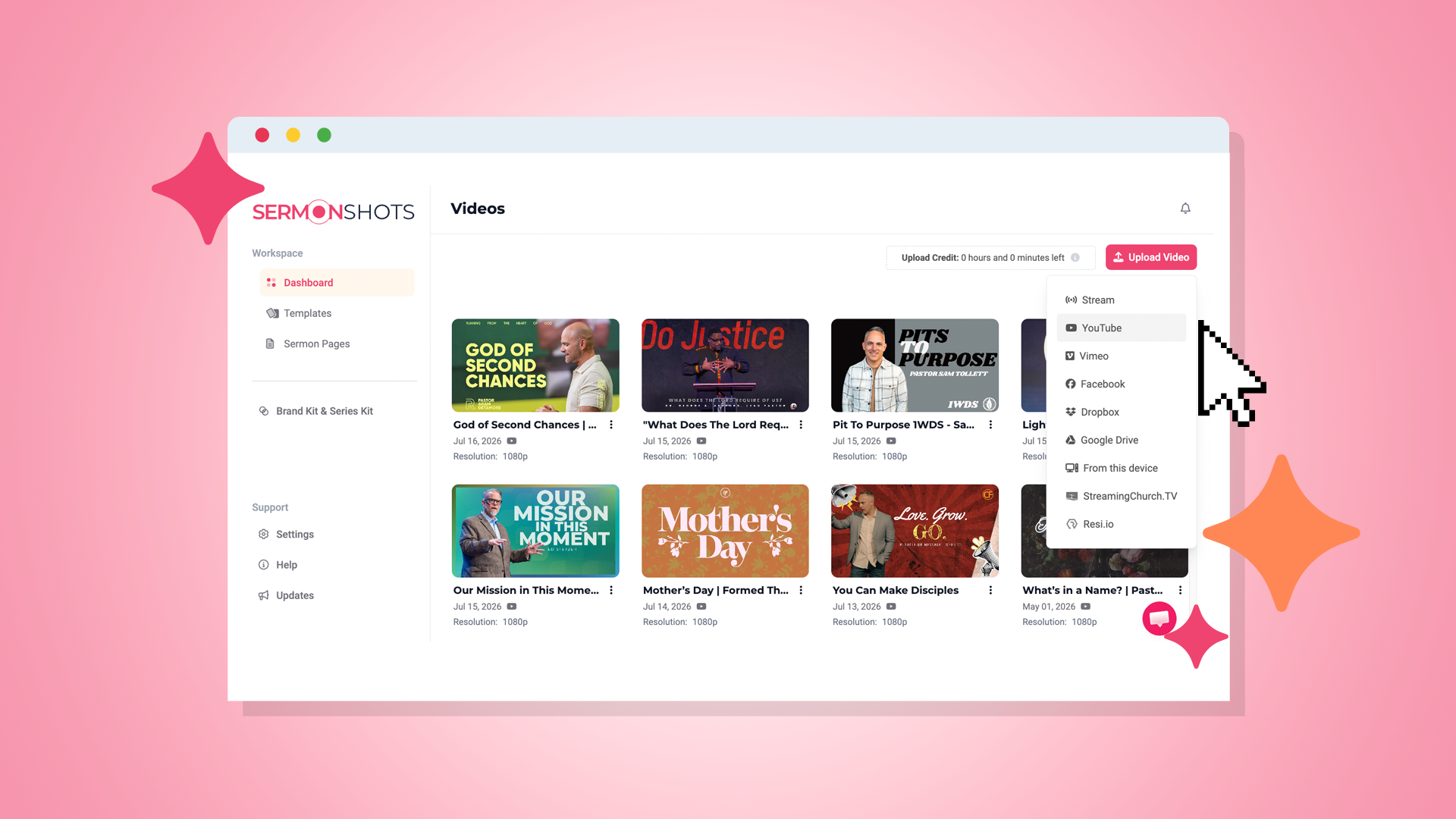
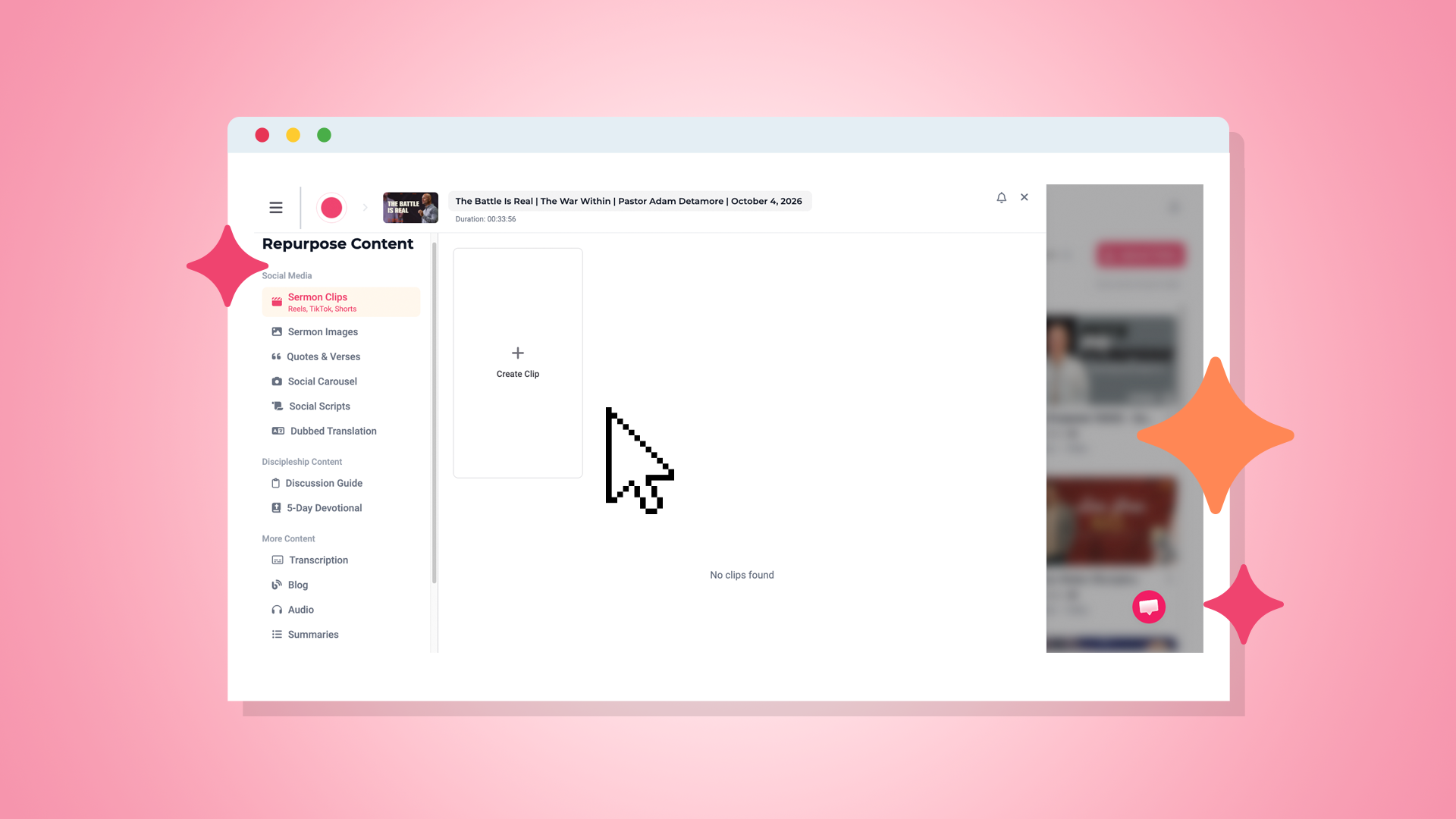
This is where you can decide if you want to repurpose your message into other formats. To create sermon clips, press the “Create Clip” button.
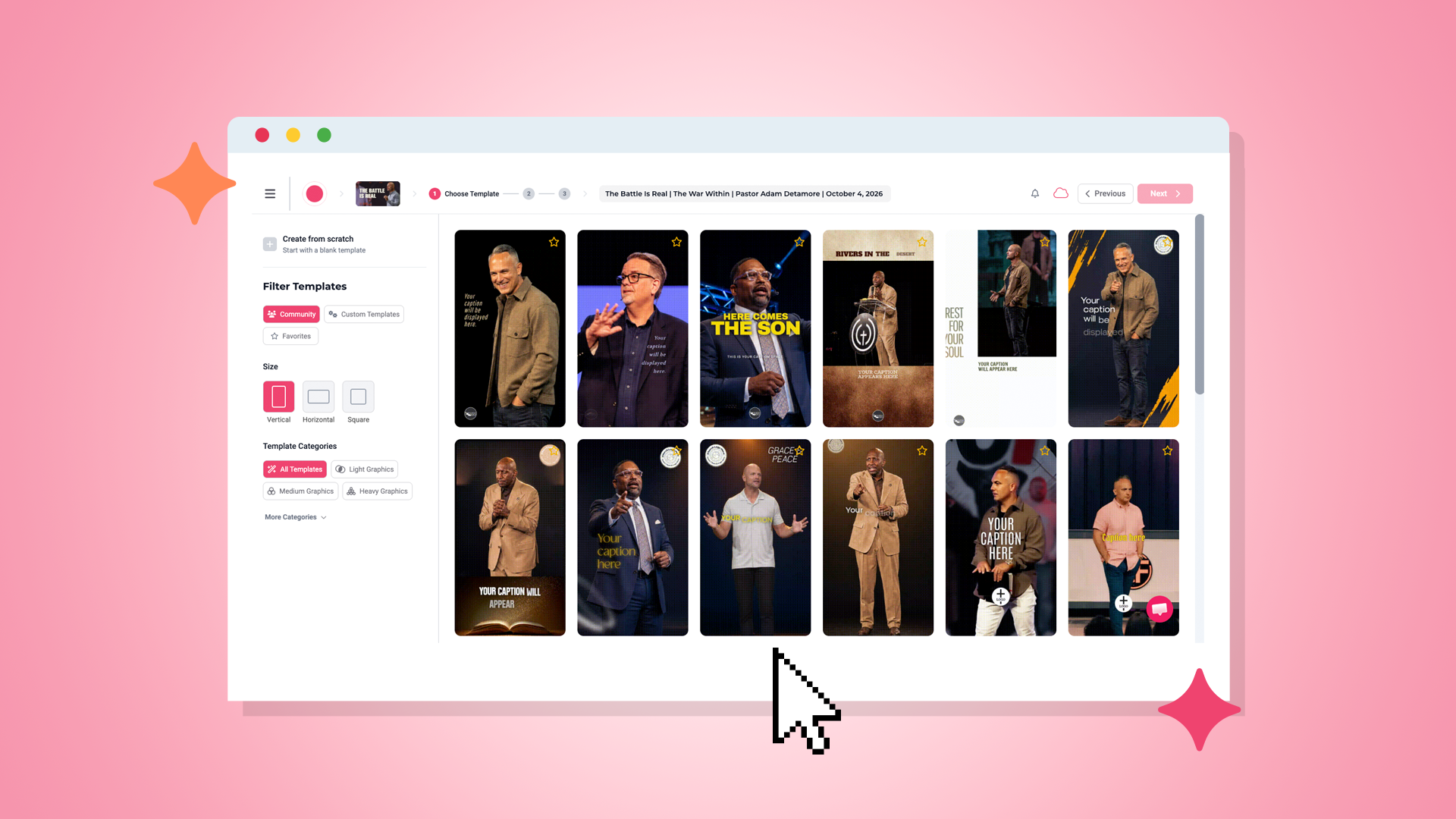
Select a template and customize the size of your sermon clip, whether you want horizontal, vertical, or square.
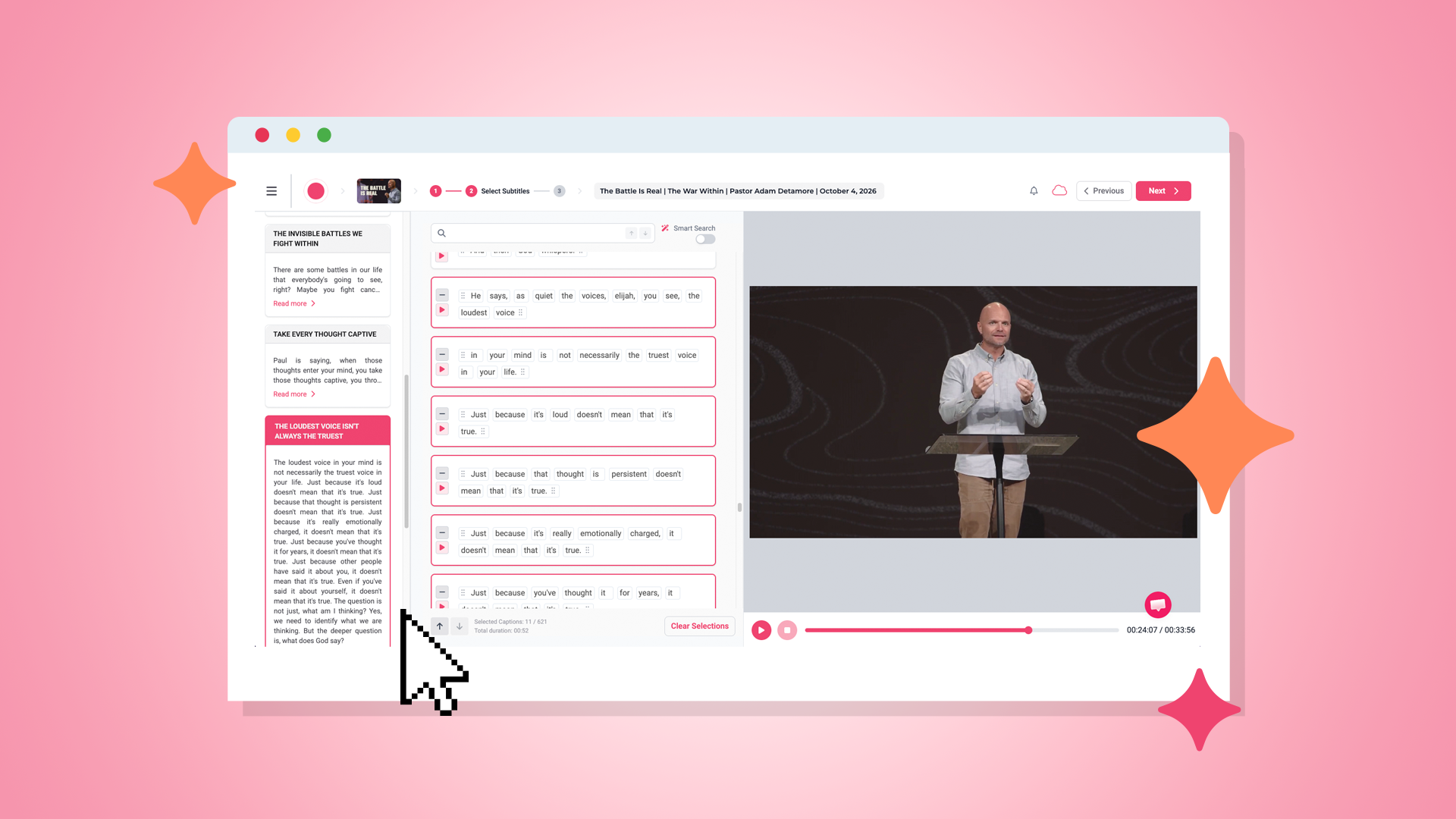
Select the sermon clip you want to use from the AI-suggested options. You can also modify the clip by adding or removing words if you’d like.
Pick the colors, fonts, and style you want to go with for your clip. Also, don’t forget to add captions, music, and your church’s logo.
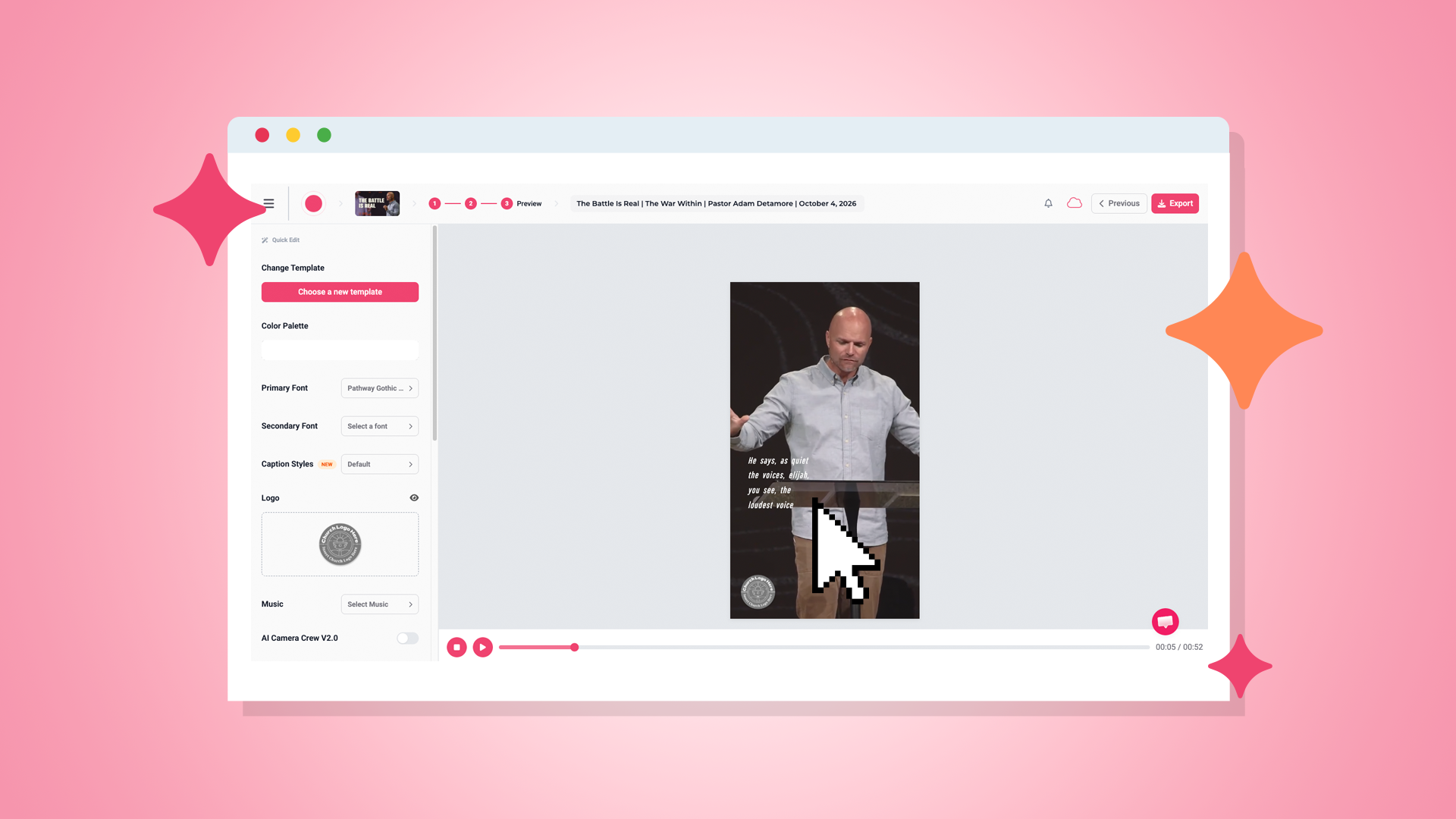
Once your clip looks the way you want it to, review it and export the finished video.
Then it can be shared across platforms such as Instagram Reels, Facebook Reels, TikTok, and YouTube Shorts.
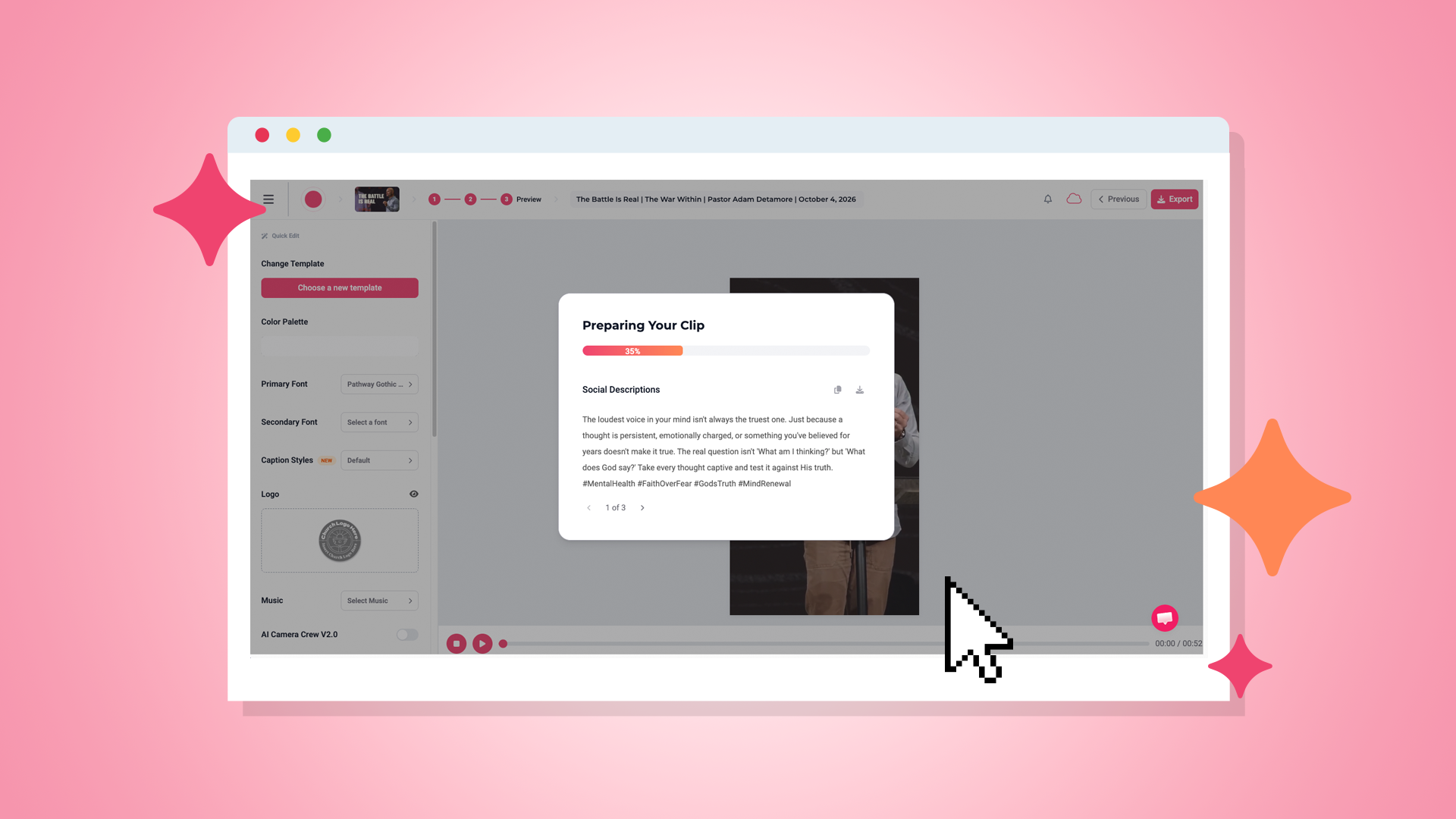
One of the biggest changes in sermon content creation is that a sermon recording no longer has to become just another video. Think about how much content already exists inside one Sunday message. There’s the full sermon, but there are also quotes, Scripture references, teaching points, questions, practical applications, and devotional ideas. That means one sermon can fuel much more of your church’s weekly content.
Depending on the tools your church uses within Sermon Shots, the same message can also help create content such as:
– Sermon summaries
– Blog posts
– Five-day devotionals
– Discussion guides
– Quotes and Bible verses
– Quote graphics
– Social media carousels
– YouTube thumbnails
Your pastor has already done the hardest part: preparing and delivering the message. You shouldn’t have to start from zero when Monday arrives.
Creating sermon clips for social media helps your church continue the conversation throughout the week, reach folks who may never have watched the full sermon, and remind your congregation of the message they heard on Sunday.
The good news is you don’t need professional video-editing skills or a huge communications team to make it happen. With Sermon Shots, churches can turn one sermon into clips and additional content without spending hours making it happen.

Q: How long should a sermon clip be?
A: There isn’t one perfect length for every sermon clip. The goal is to make the clip long enough to communicate a complete thought without needing unnecessary setup. Many short-form clips can work well around 30–60 seconds long.
Q: How do I choose the best moments from a sermon?
A: Look for moments that contain a clear takeaway without needing more context, strong statements, questions, stories, Scripture explanations, and encouragement.
Q: Can I create sermon clips without a media team?
A: Yes. Sermon repurposing tools can simplify the editing process for churches with small teams. Sermon Shots is specifically designed to help churches create clips without requiring advanced video-editing experience.
Q: Where should churches post sermon clips?
A: Instagram Reels, Facebook Reels, YouTube Shorts, and TikTok are common places for churches to share short-form video. However, your church doesn’t have to use every platform. Try focusing on the platforms where your congregation and community are most active.
Q: Can one sermon be repurposed into content besides video clips?
A: Yes! Sermons can provide material for devotionals, blogs, discussion guides, social media carousels, quote graphics, summaries, Scripture posts, and other content. Sermon Shots includes tools designed to create several of these resources from the same sermon.