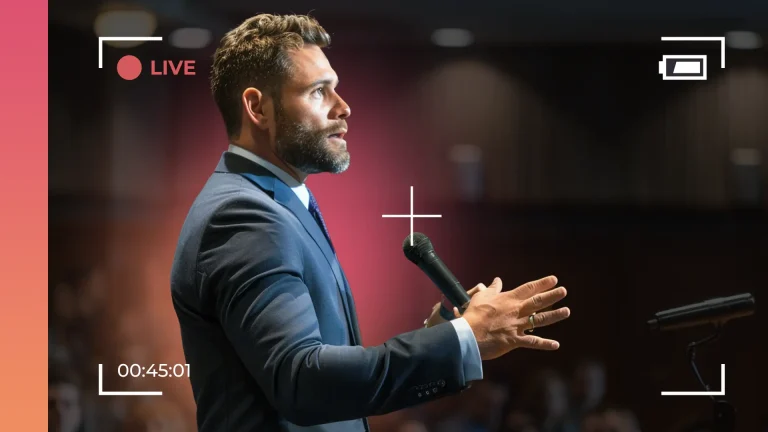
Live streaming has become one of the most powerful ways for churches to expand their reach, especially when live-translating a sermon. This is an excellent way to become more accessible so everyone has access and can understand your message.
However, when you live stream without a plan, it’s almost as if you’re walking on stage with no notes. While there’s a chance it could work out, it will still be stressful. This is why we’ve put together this church live stream checklist. It’s a clear-cut, easy-to-follow guide so you have everything you need before the camera starts rolling.
Let’s get started!
1. Reliable Internet Connection
Let’s begin with the basics of live streaming: your internet. Nothing makes it more challenging for your members to church live stream than when it’s constantly buffering. That can hinder their experience, as they won’t be able to view or enjoy your message to the fullest.
- Aim for at least 5 Mbps upload speed for a smooth broadcast.
- Always hardwire your internet connection rather than relying on Wi-Fi.
- Test your speed before each service.
2. The Right Camera Setup
You don’t need a huge budget to make your church’s live stream look professional. You would be surprised what a single high-quality camera can do.
- Start with an HD camera.
- When positioning the camera, make sure the pastor is front and center.
3. Clear Audio
When your audio is muffled or it’s too quiet to accurately hear your message, viewers will likely log off.
- Make sure the pastor uses or wears a microphone.
- Test the sound levels ahead of time.
4. Good Lighting
When you have good lighting, it’ll create a welcoming and warm environment. Bad lighting can make it difficult to see the pastor and can just end up being a distraction.
- Make sure the pastor’s face is well-lit and doesn’t have any harsh shadows.
- Avoid bright windows behind the pastor.
5. A Pre-Service Checklist
Before you go live, do a quick checklist run-through:
- Test camera angles and make sure the pastor will be in the center
- Check audio levels
- Run an internet speed test
Bonus Tip: Make Your Sermon Accessible
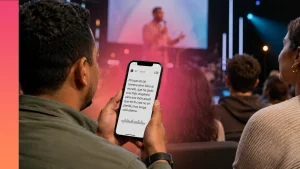
While reaching people online is important, creating an inclusive experience for those attending your service in person matters just as much. Language barriers and hearing impairments shouldn’t prevent someone from fully engaging with your message. That’s why Sermon Live by Sermon Shots was created.
This tool was created to provide real-time translations and live captions, helping multilingual attendees and those who are deaf or hard of hearing follow along as your sermon is delivered. It’s an easy way to make every service more accessible without adding extra complexity to your Sunday morning.
FAQs About Church Live Streaming
Q: Do we need to invest in expensive equipment to live-stream our church?
A: Nope! It’s not uncommon for churches to just have a good camera, a mic, and streaming software.
Q: How long should our church service live stream be?
A: While there’s no strict rule, keeping your live stream between 60–90 minutes works best. This length is long enough to share your full message and worship but short enough to keep online viewers engaged.
Q: How fast should my church’s internet be for church live streaming?
A: At least 5 Mbps upload speed is recommended.